Trade History
Follow the steps below to copy your trades from Krunker, then paste the result here.
1. Open the Trade Viewer on HUB
In Krunker, go to the Trading tab and make sure the Trade History list is visible.
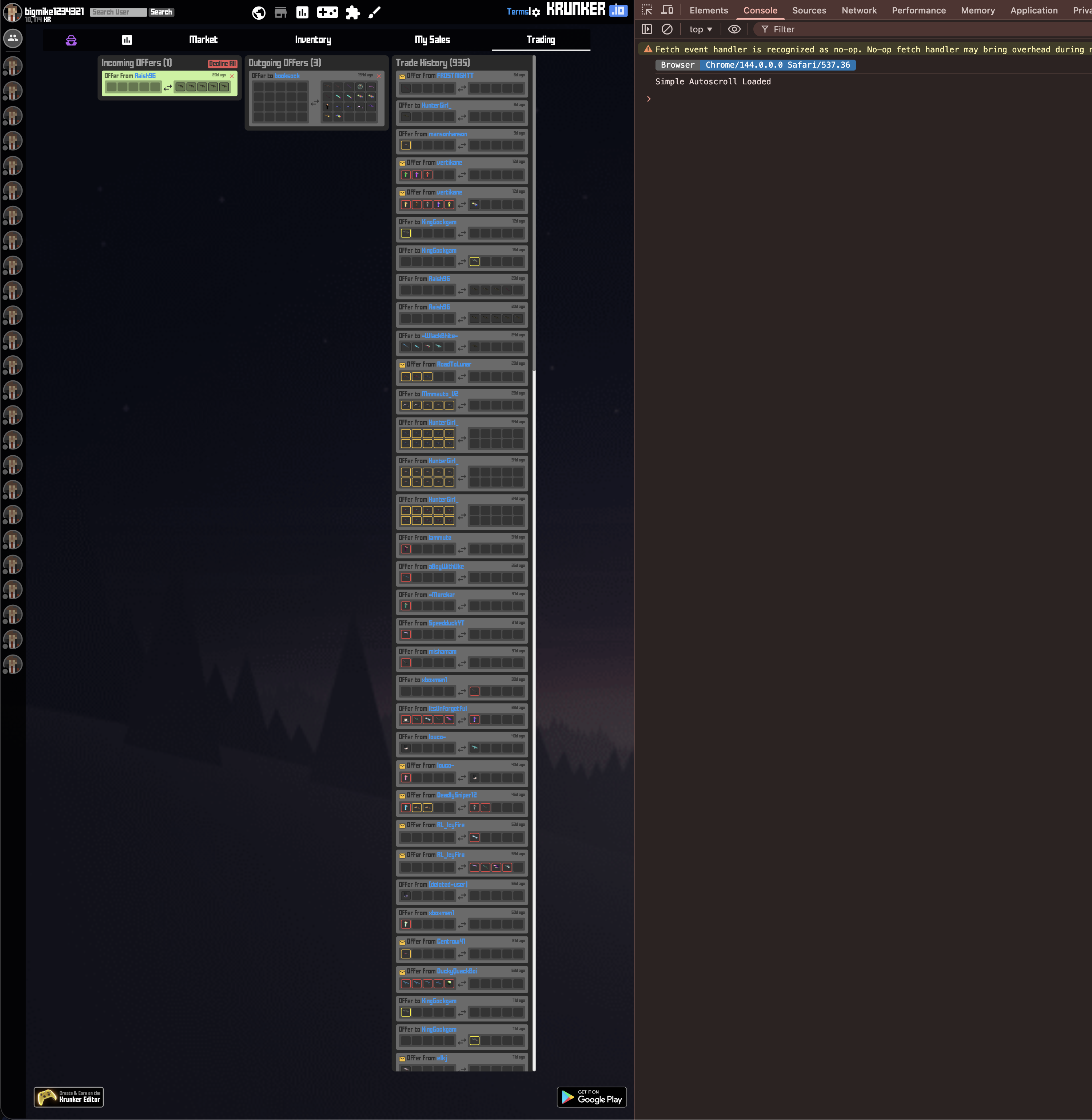
2. Open the Console
Open your browser’s developer tools and switch to the Console tab.
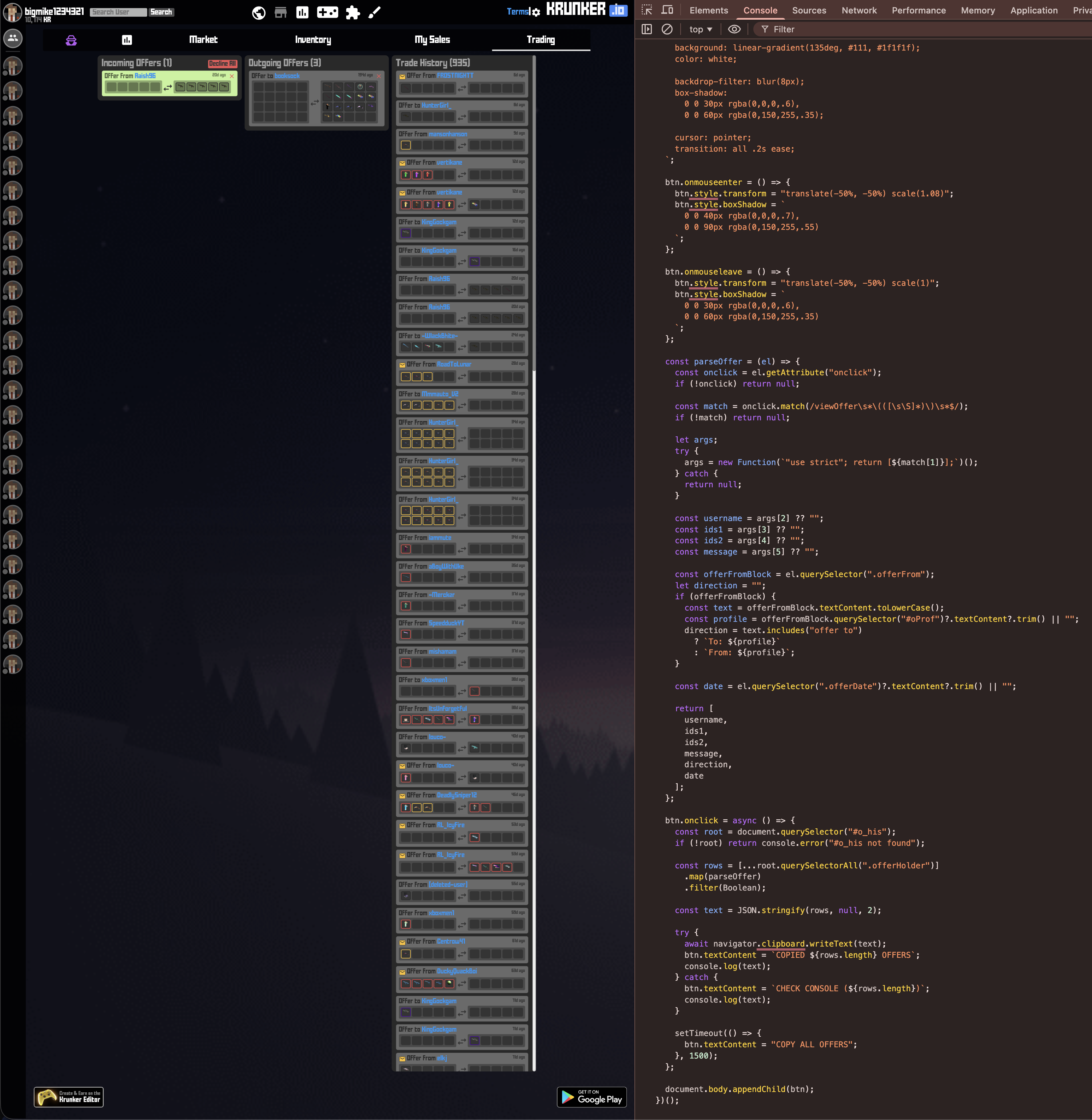
3. Paste Script into Console
The script only reads the trade rows on the page and lets you copy them as JSON. Feel free to ask an AI regarding the security of the script.
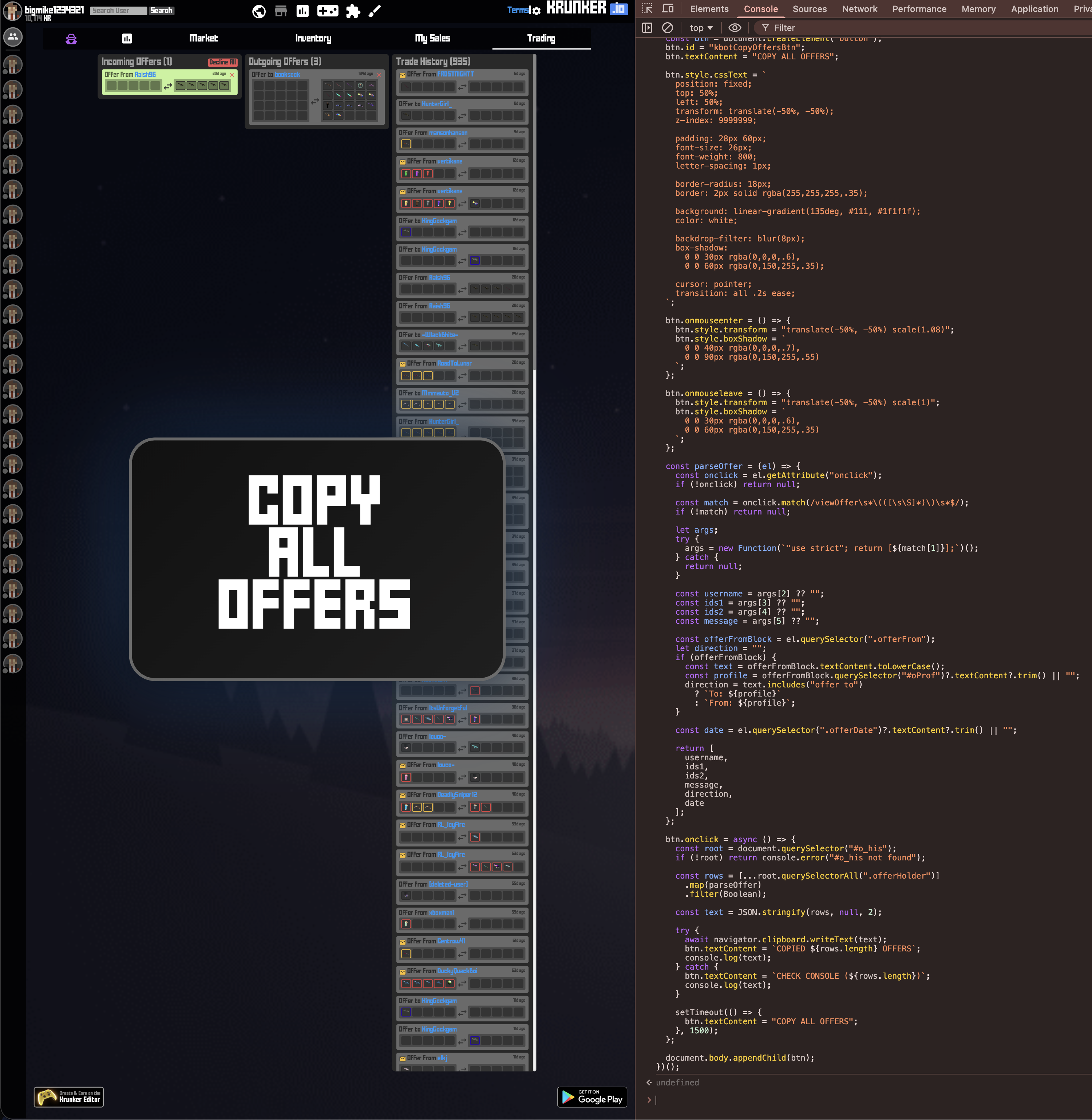
Paste the result of the script
After clicking "COPY ALL OFFERS" in Krunker, paste the copied JSON here and click Submit to view your trade history.